July 6, 2010 - Wikis
When I viewed the training video for the use of a Wiki in the classroom, it seemed very similar to Google.docs (Tool 4) as far as creating a page that can be collaborated on and edited by others. It would be useful for team planning of activities. I like the idea of creating a story or poem and have students add to or edit it for fun. I might also use it for a type of 'scavenger hunt' where students would have to research different items related to a topic and write about their findings on a wiki page to share with others.
Personal note - All of these tools seem very interesting and could be utilized in the classroom, but at this point in my Tool training they are starting to 'overlap' a bit.
Nevertheless - on to Tool 7!
Tuesday, July 6, 2010

Thursday, July 1, 2010
Tool 5
Tagging & Social Bookmarking
These tools will be useful when searching for lesson activities. Being able to 'tag' certain sites to view at a later date or share them with team members will possibly save time in lesson planning.
I used the following tags to search for information in Delicious and Diigo: reading; science; lesson plans
The two sites I viewed both have interactive games/activities. The read/write/think site also has poems and graphic organizers.
Delicious - read/write/think
Diigo - gamequarium
These tools will be useful when searching for lesson activities. Being able to 'tag' certain sites to view at a later date or share them with team members will possibly save time in lesson planning.
I used the following tags to search for information in Delicious and Diigo: reading; science; lesson plans
The two sites I viewed both have interactive games/activities. The read/write/think site also has poems and graphic organizers.
Delicious - read/write/think
Diigo - gamequarium
Thursday, June 24, 2010
Tool 4
Google Docs & Google Reader
Google Docs: I created a sample document and shared it with my family. It was actually easier than I thought it would be - :). This tool could be used for team input to update and collaborate on various activities/planning. It is also helpful by not having to remember to attach a document to an email!
Google Reader: I subscribed to 6 sites to follow (Technology & the Classroom; Mrs. Green's Blog Spot; Technology is my Challenge; Mary's Art Spot; Serenity Now; Kirina's Closet) - also easier to do than I thought. This tool could be helpful for saving time by having all the sites you follow in a central location.
Question: Do I need to 'hot link' any of these sites? and how? Thanks!
Google Docs: I created a sample document and shared it with my family. It was actually easier than I thought it would be - :). This tool could be used for team input to update and collaborate on various activities/planning. It is also helpful by not having to remember to attach a document to an email!
Google Reader: I subscribed to 6 sites to follow (Technology & the Classroom; Mrs. Green's Blog Spot; Technology is my Challenge; Mary's Art Spot; Serenity Now; Kirina's Closet) - also easier to do than I thought. This tool could be helpful for saving time by having all the sites you follow in a central location.
Question: Do I need to 'hot link' any of these sites? and how? Thanks!
Tuesday, June 22, 2010
Tool 3 Complete

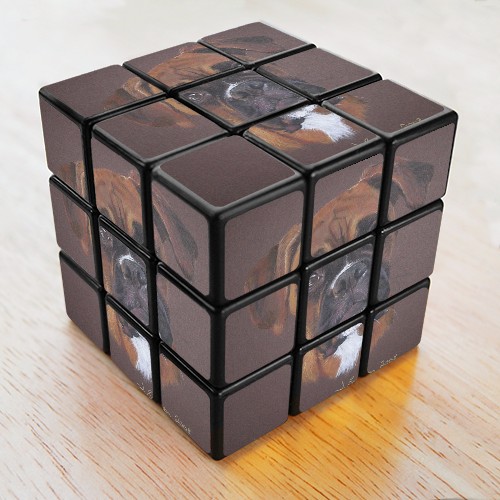
 I have completed Tool #3, but I have to say that I still don't understand this. In order to get these images on my Blog, I had to go through different steps for each. I would love to use these Tools in my classroom, but I fear that without a lot more practice, I would have trouble 'getting them to work.' These are on my Blog with the help of my family.:) I used the boxer and cube example to create "A Boxer on a Box" just for fun.
 In the classroom, the Cube picture and Word Cloud could be used in a math lesson in which the student could first 'create' a Cube and then write a sentence using math vocabulary to describe it on a Word Cloud.
Credits: Flickr.com; Dumpr.net/Rubik's Cube;Worditout.com/wordcloud
Monday, June 21, 2010
Tool 3 Again

This is my second attempt using Tool #3 Image generator/mashup.
Both of my images are just for practice, as this is VERY new to me. It is still confusing - it seems that for every image you want to create, there is a 'different' set of 'rules' in order to actually have appear on your blog. Maybe it will be easier tomorrow........
Tool 3

Two hours for one sample....but I'm learning!
However, I don't like or understand why I have to sign up/register/log-in/etc. on so many sites.(I couldn't get BigHugeLab to work even though I thought I 'uploaded pictures' to it and had to register for an account:( Does anyone know why?
Subscribe to:
Posts (Atom)